How to Activate ByeShorts
Follow these steps to enable the extension in Safari on your iPhone or iPad
Choose your preferred method to enable the extension:
1
Download from App Store
Download and install ByeShorts from the App Store.
2
Go to Safari Settings
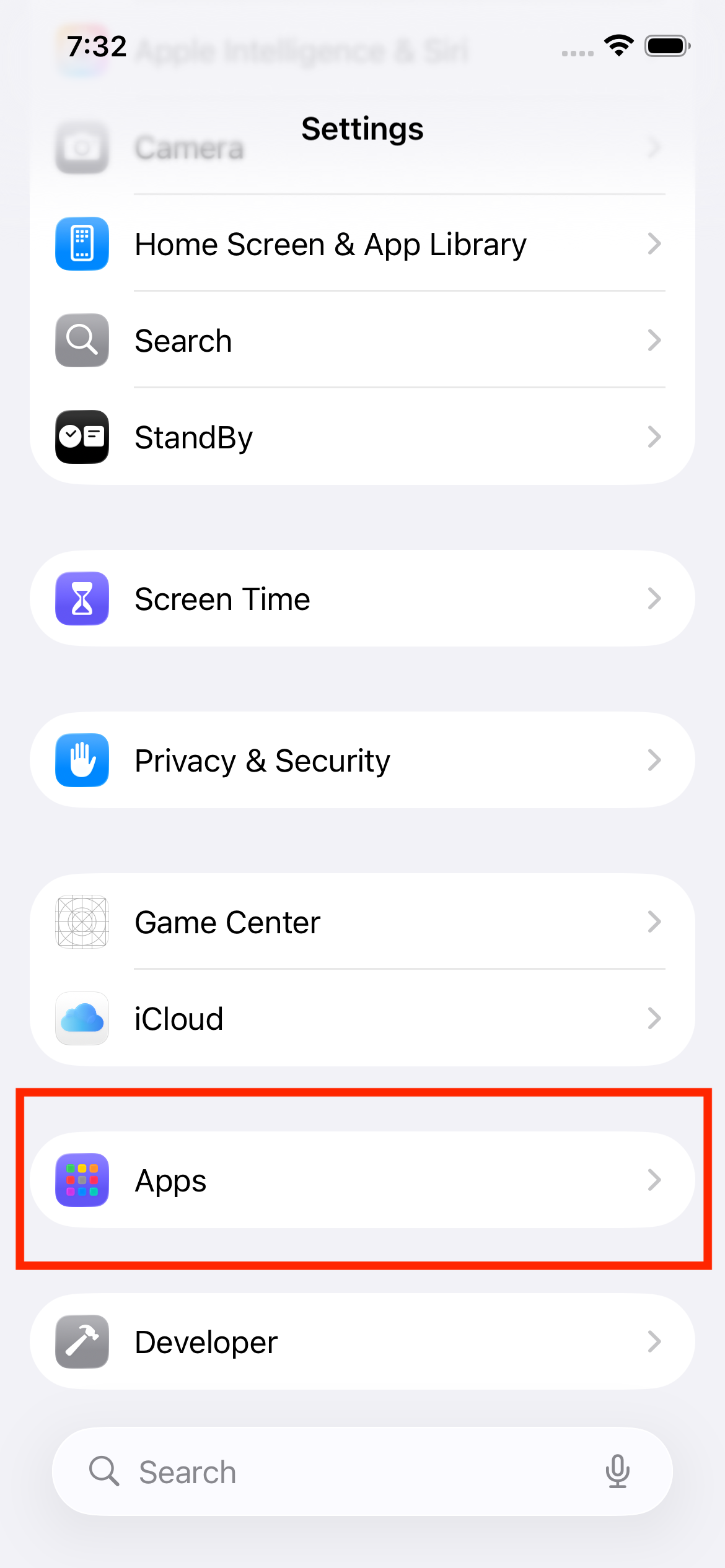
Open the Settings app, scroll down and tap Apps, then tap Safari.
Settings → Apps → Safari
3
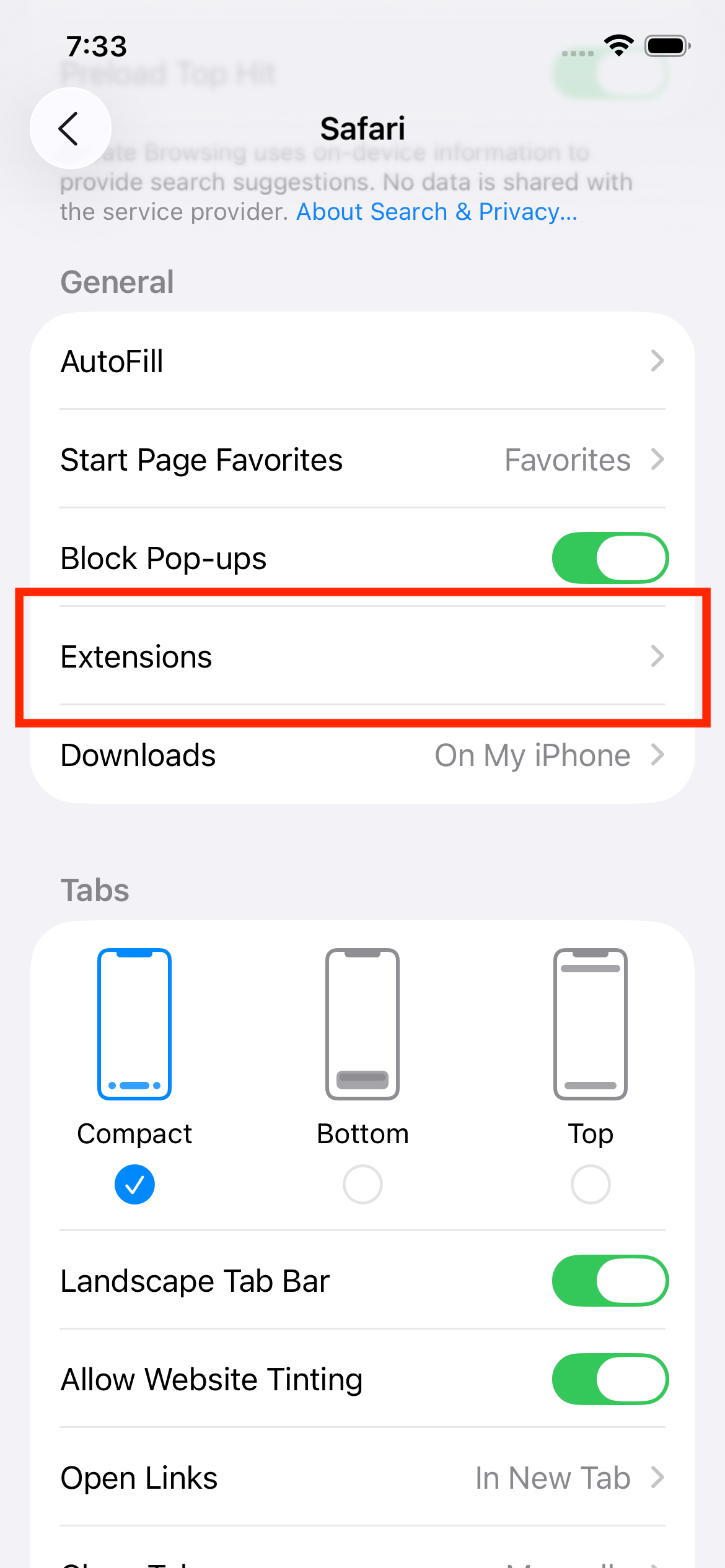
Enable Extensions
In Safari settings, tap Extensions.
4
Enable ByeShorts & Grant Permissions
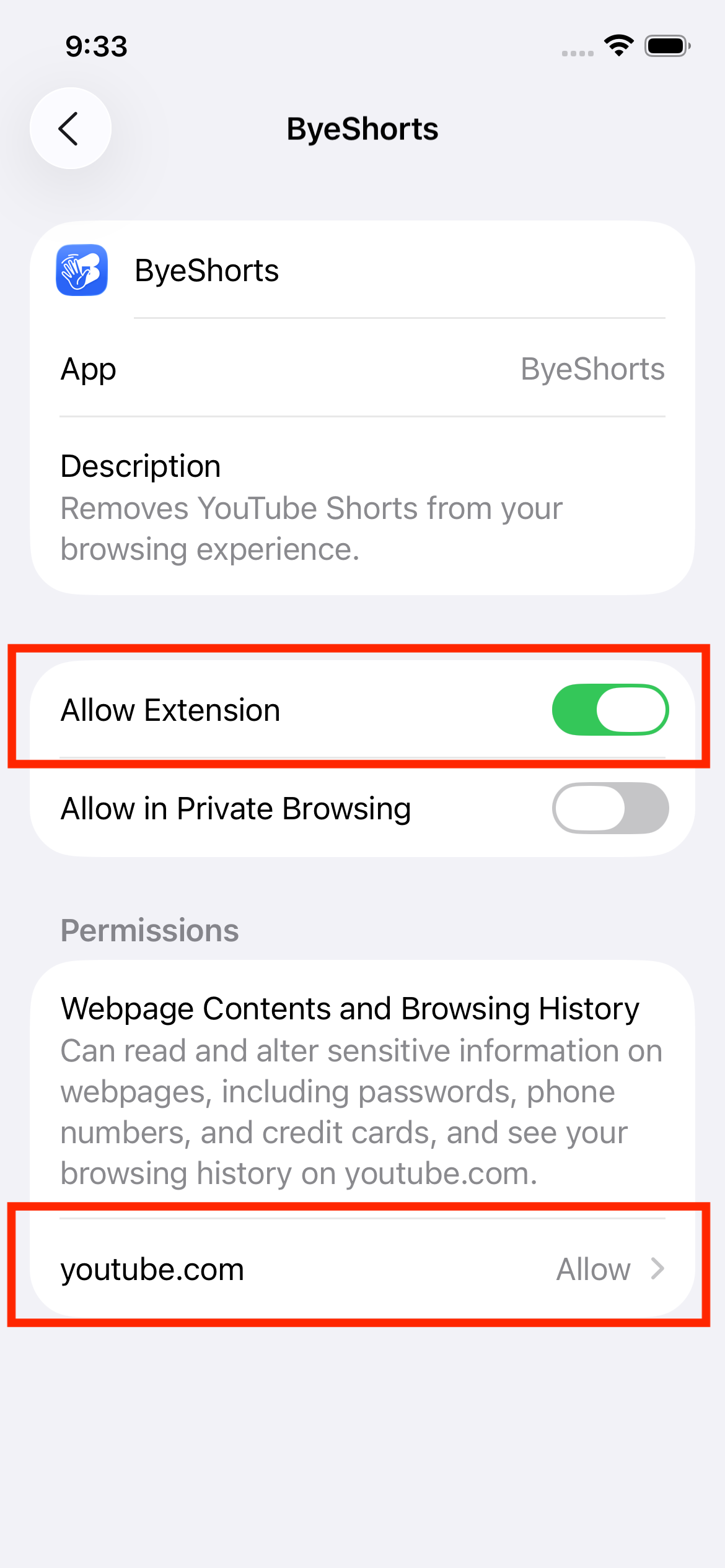
Find and tap ByeShorts, then set:
- Toggle ON the extension
- Allow on all websites: Allow
✓
You're Done!
Open Safari and visit YouTube. Shorts should now be blocked automatically!
Troubleshooting
Extension not showing in Settings?
Make sure ByeShorts is installed from the App Store. If it still doesn't appear, try restarting Safari or your device.
Shorts still appearing?
Double-check that the extension is enabled and has permission for YouTube. Try refreshing the YouTube page or clearing Safari cache.
Need more help?
Visit our support page.